 BitMatch
Know when the card is safe to erase.
BitMatch copies camera cards to as many drives as you like, reads every copy back from the drive, and only turns green when every file on every drive matches the card. Free and open source, for Mac.
Needs macOS 15.5 or newer. Runs on Apple silicon and Intel Macs.
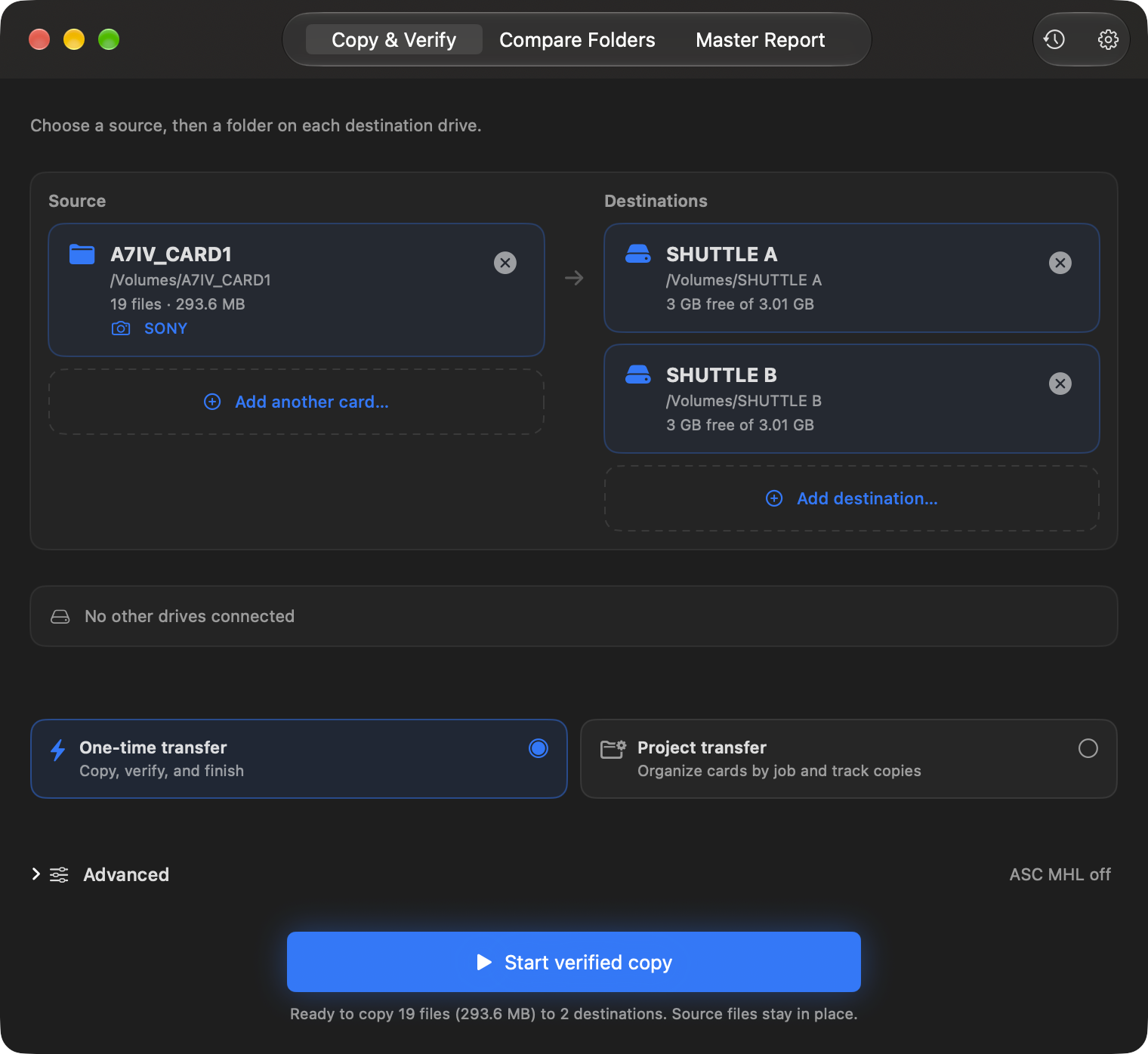
Pick the card, pick your drives, press Start.
Every drive at once
Copy one card to two, three or more drives in a single pass. Queue the next card while this one copies.
Checked on the drive, not in memory
Every copy is read back from the drive itself and compared with SHA-256. Quick, Standard, Thorough and Paranoid modes.
Reports you can hand off
PDF, CSV and JSON reports beside every copy, a daily master report, and ASC MHL records for post.
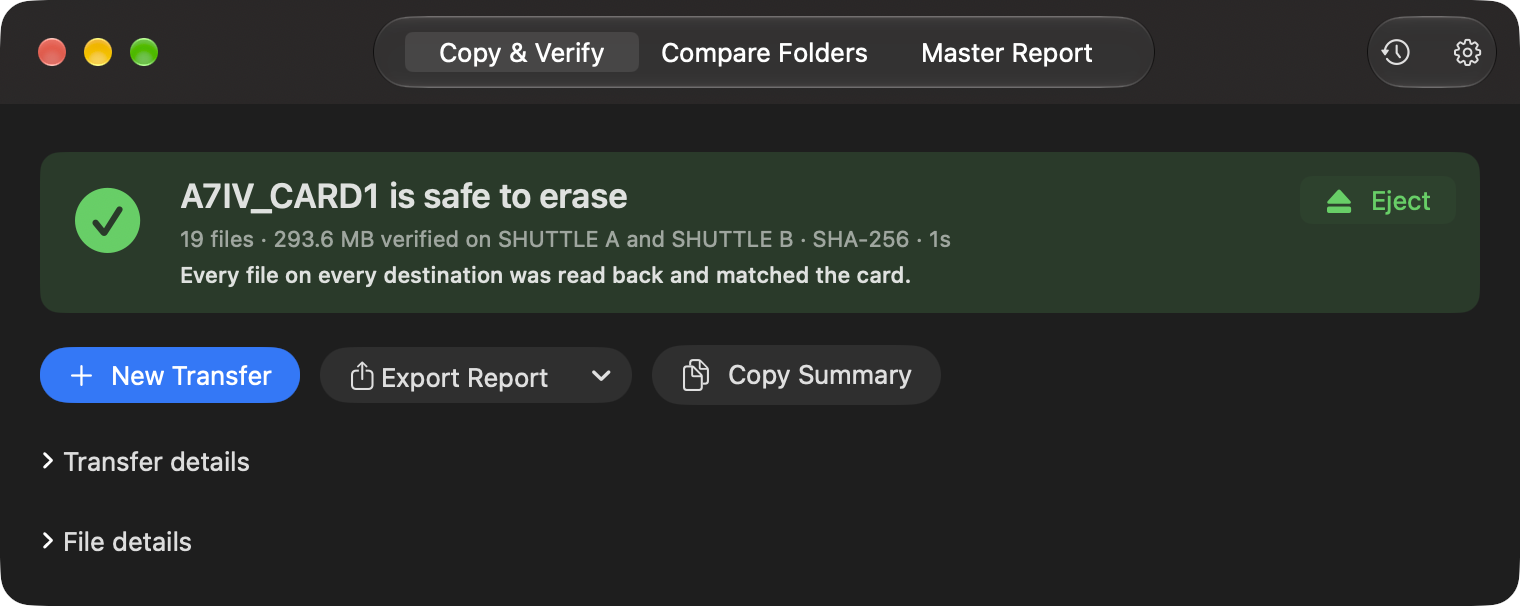
Green means verified. Nothing else is.
The card is only called safe to erase when every file landed on every drive and read back matching. A size-only copy says so in amber. Anything missing says what and where, in red.
Eject is right there when it's safe.
Get BitMatch
brew install --cask bitmatchapp/tap/bitmatch
Signed and notarized by Apple. The first time you use a drive, BitMatch asks once for permission to use your drives. It's beta software from a one-person project: try it with files you don't need first, and keep the card until every drive finishes.